

Blog
Top 5 Signs That You Need Screen Glasses

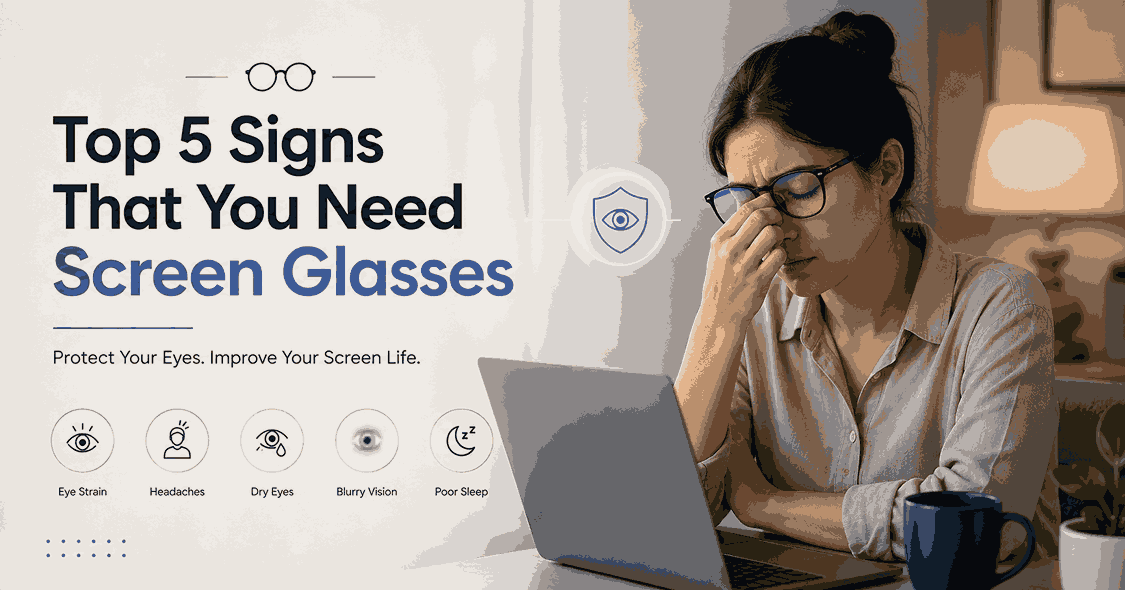
If you spend most of your working day looking at a laptop or computer screen, you may have become so used to tired eyes, headaches, blurry vision, or dryness that you simply ignore them. For many people, screen time is not optional. You may need to work on spreadsheets, attend online meetings, write emails, edit videos, manage websites, study, code, design, or work from home for several hours every day.
The problem is that your eyes can start showing signs of digital eye strain long before you realize that something needs attention.
Computer vision syndrome, also called digital eye strain, refers to a group of eye and vision related problems associated with prolonged use of computers, phones, tablets, and other digital screens. Common symptoms include eye strain, headaches, dry eyes, blurred vision, and neck or shoulder discomfort.
This does not mean that looking at a laptop automatically makes your eyesight permanently weak. However, prolonged screen work can place significant demands on your focusing system, especially when you have an uncorrected or outdated prescription, poor screen positioning, glare, inadequate lighting, or very few breaks.
So, how do you know when it is time to consider screen glasses?
Here are five signs you should not keep ignoring.
1. Your Eyes Feel Tired After Working on Your Laptop
One of the earliest signs of digital eye strain is simply feeling that your eyes are exhausted after a long work session.
You may notice:
- Your eyes feel heavy after several hours of computer work
- You feel the need to close your eyes for a few minutes
- Your eyes feel sore or uncomfortable
- Reading small text becomes more difficult toward the end of the day
- You constantly rub your eyes while working
- Your eyes feel tired even though the rest of your body feels fine
This happens because computer work requires your eyes to maintain focus at a relatively close and consistent distance for extended periods.
The problem can become more noticeable when your prescription is slightly incorrect or when your regular glasses are designed for a different viewing distance.
For example, the glasses you use for driving may not necessarily provide the most comfortable vision for a laptop screen.
What can help?
Start by checking your prescription and your working distance. If you already wear glasses, an eye care professional can determine whether your current prescription is appropriate for your computer work.
Computer glasses can also be designed around the distance at which you normally use your screen.
At EyeDell, screen glasses are available with prescription options and anti glare lenses, allowing you to choose eyewear based on your actual vision requirements.
Shop : EyeDell Screen Glasses
2. You Frequently Get Headaches During or After Screen Work
Do you regularly finish a long laptop session with a headache? Do you notice that your headache appears after several hours of working but improves after you stop looking at the screen?
This can be another sign of digital eye strain. Headaches associated with prolonged computer use can be related to visual stress, focusing difficulty, glare, poor lighting, incorrect viewing distance, or an uncorrected vision problem.
You may be especially likely to notice this if you:
- Work continuously for several hours
- Keep your laptop too close to your face
- Work under harsh lighting
- Have reflections or glare on your screen
- Frequently switch between your laptop and documents
- Use an old or incorrect prescription
- Squint to read small text
The important point is that you should not automatically assume that the problem is simply "too much blue light."
Current evidence does not show that ordinary blue light from computer screens causes permanent eye damage. The more established problem is the way prolonged close screen work can contribute to digital eye strain.
If headaches repeatedly occur during computer work, consider getting your vision checked rather than simply pushing through the discomfort.
3. Your Vision Becomes Blurry After Looking at the Screen
Do the words on your screen become slightly blurry after several hours?
Maybe you can see clearly in the morning but notice that text starts looking less sharp later in the day.
You may even find yourself:
- Squinting at your laptop
- Moving closer to the screen
- Increasing the text size
- Zooming into documents
- Frequently refocusing your eyes
- Looking away from the screen to make your vision clear again
These are signs worth paying attention to. Temporary blurred vision can occur with digital eye strain, but persistent or recurring blurry vision can also indicate an underlying refractive error or another vision issue.
This is why buying random "zero power blue light glasses" is not always the best answer. If you actually need vision correction, the right lens power matters more than simply buying glasses marketed as screen protection.
The American Optometric Association notes that people who spend extended periods using computers may benefit from glasses specifically suited to their computer viewing distance, particularly when their usual prescription is not ideal for that task.
Screen glasses are not always the same as reading glasses
This is an important distinction. Reading glasses are generally designed for a closer reading distance. A laptop is usually positioned farther away, so computer glasses may need a different optical setup.
Your ideal lens depends on your prescription, working distance, age, and visual requirements. That is why a proper eye examination is recommended if blurry vision keeps returning.
4. Your Eyes Feel Dry, Burning, or Irritated
Another common sign is dryness. After several hours of laptop work, your eyes may feel:
- Dry
- Burning
- Watery
- Gritty
- Red
- Irritated
- Sensitive to light
You may also notice that you blink less when concentrating on a screen. When you focus intensely on a laptop, you may blink less frequently or incompletely. This can increase tear evaporation and contribute to dry eye symptoms.
Air conditioning, fans, dry indoor air and prolonged screen sessions can make the problem even more noticeable. This is one reason why simply buying screen glasses should not be treated as the complete solution.
Your screen habits matter too.
Try the 20 20 20 rule
A simple habit recommended for reducing digital eye strain is the 20 20 20 rule.
Every 20 minutes: Look at something around 20 feet away for at least 20 seconds.
Also remember to blink regularly during extended computer work.
If your eyes remain persistently dry, painful, red, or irritated, speak with an eye care professional rather than assuming that screen glasses alone will solve the problem.
5. You Need to Squint or Change Your Posture to See Your Screen Clearly
This is a sign many laptop users ignore. You may unconsciously lean toward your screen, narrow your eyes, tilt your head, or move your laptop closer because the text does not look comfortable.
Over time, this can also affect your working posture. If your glasses are not appropriate for your computer viewing distance, you may find yourself constantly adjusting your head or neck to get a clearer view.
The American Optometric Association points out that computer viewing has different visual demands from reading printed material and that even relatively small uncorrected vision problems can contribute to computer related eye strain.
If you constantly adjust your posture just to see your screen comfortably, it is worth checking both your workstation and your vision.
Do You Really Need Screen Glasses?
Not everyone who uses a laptop needs special glasses. If you have no prescription requirement and do not experience discomfort, you may not need computer glasses simply because you use a screen.
However, screen glasses can be worth considering if you regularly experience symptoms such as eye fatigue, headaches, blurry vision, dryness, or difficulty focusing while working on your computer.
The key is choosing the right lens for the actual problem.
A good pair of computer glasses may involve:
- The correct prescription for your vision
- A lens designed around your screen working distance
- Anti glare or anti reflective coating
- A comfortable frame suitable for long working hours
- Optional blue light filtering if it suits your personal preference
EyeDell's Screen Glasses collection includes screen focused eyewear with prescription options, anti glare coatings and optional blue cut lenses. The collection includes styles for both men and women.
Explore EyeDell Screen Glasses
What About Blue Light Glasses?
This is where there is a lot of confusion online. Blue light glasses are often promoted as glasses that protect your eyes from permanent screen damage. That claim needs to be treated carefully. Current evidence does not establish that normal blue light exposure from computer screens causes permanent eye damage. Digital eye strain is more strongly associated with prolonged near work, reduced blinking, glare, focusing demands, and other aspects of screen use.
That does not mean blue cut lenses are useless. Some people prefer blue light filtering lenses, particularly for evening screen use. But they should not be presented as a guaranteed solution for digital eye strain or as a substitute for proper prescription lenses, healthy screen habits, or an eye examination.
At EyeDell, blue cut filtering is available as an optional lens feature, allowing customers to choose it based on their preferences and requirements.
What Makes a Good Pair of Computer Glasses?
If you work on a laptop for several hours every day, focus on the lens and fit rather than choosing glasses only because they are labelled "blue light glasses."
1. Correct lens power
If you need prescription correction, your glasses should be made according to your current prescription.
2. Appropriate screen distance
Computer glasses may need to be optimized for the distance at which you normally work.
3. Anti glare coating
Screen reflections, overhead lights and windows can create distracting glare. Anti reflective coatings can help reduce reflections and improve visual comfort.
4. Comfortable frame
If you wear your glasses for eight hours a day, the frame should fit properly without constantly slipping, pinching or creating pressure around your nose and ears.
5. Optional blue cut filtering
Blue light filtering can be considered as an additional lens feature, particularly if you prefer it for evening screen use. It should not be treated as the main solution to digital eye strain.
EyeDell Screen Glasses for Long Laptop Hours
If your work requires several hours of computer use every day, EyeDell offers a dedicated collection of screen glasses designed for people who spend significant time with digital screens.
The collection includes multiple frame styles and lens choices, including prescription lenses, anti glare options and blue cut lenses.
For someone who wants one pair specifically for daily laptop work, the Black Geometric Double Bridge Eyeglass is one option available through EyeDell. It can be ordered with zero power screen protection lenses or with prescription lenses, and blue cut anti glare lenses are also available as an upgrade.
Shop : Black Geometric Double Bridge Eyeglass
You can also explore EyeDell's wider Screen Glasses Collection if you want to compare different frame shapes and lens options.
5 Simple Habits to Protect Your Eyes During Screen Work
Screen glasses can be useful, but they should be part of a bigger eye care routine.
Take regular breaks
Follow the 20 20 20 rule and give your eyes regular opportunities to focus on something farther away.
Blink frequently
Conscious blinking can help reduce dryness during concentrated screen work.
Reduce screen glare
Adjust your screen position and room lighting to reduce reflections.
Keep a comfortable viewing distance
Avoid placing your laptop extremely close to your face.
Get your eyes checked
If symptoms continue despite improving your screen habits, schedule an eye examination. An eye care professional can check whether an uncorrected prescription, focusing issue, dry eye, or another condition is contributing to your discomfort.
When Should You See an Eye Care Professional?
Do not simply buy screen glasses and ignore symptoms that are severe, persistent, or getting worse. You should consider professional eye care if you experience:
- Persistent blurry vision
- Frequent or severe headaches
- Double vision
- Eye pain
- Significant redness or irritation
- Difficulty seeing clearly even after leaving the screen
- Sudden changes in vision
- Symptoms that continue despite reducing screen strain
Screen related discomfort is common, but not every eye problem is caused by screen time. A proper eye examination can help identify the actual cause.
Final Thoughts
If you spend most of your day working on a laptop, do not wait until your eyes feel completely exhausted before paying attention. Tired eyes, recurring headaches, blurry vision, dryness, and constantly squinting at your screen are signs that your current setup or vision correction may need attention.
The goal is not simply to buy glasses because you spend time on a screen. The goal is to find out what is causing your discomfort and choose the right solution.
For some people, that may mean updating their prescription. For others, it may mean computer specific lenses, an anti glare coating, better screen positioning, regular breaks, or simply improving their screen habits.
If you spend long hours working on a laptop every day, explore EyeDell's range of screen glasses and choose a lens and frame that fits your vision requirements and daily routine.
Shop : EyeDell Screen Glasses
Your eyes work hard all day. Give them the care they deserve.